EngineBalancer
(BUGS ARE LIKELY TO HAPPEN WHEN EXCEEDING 60FPS)
By some odd anomaly you've found yourself stuck in the past. Using the last of ROG Gaming Laptop's battery , you have to find the optimal running point of a steam engine that will eventually power it .
To start the engine you need to do the following:
-Adjust the water slider and toggle the valve.
-Power up the burner using the slider next to it.
-Once a decent amount of pressure is obtain as a result of water being turned into steam, grab the lever (click and drag) to the left of the piston head, and pull it down.
-After you get the piston moving , for at least half a rotation, toggle the Steam valve (located at the top of the pipe leading into the piston assembly).
-Thats it, now you've powered up the engine, all you need to do is maintain the balance.
(This is my first interaction with unity, and it its very rushed , dont take it seriously)
Edit:
- Forgot to enable comments , my bad
-Added images clarifying the position of the sliders. Due to a series of oversights on my end, the sliders vary in size and position due to the resolution of the screen on which the game is played.
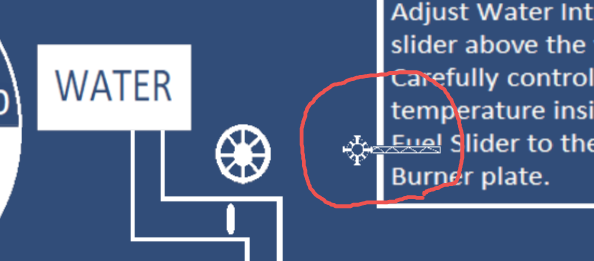

Assets made by me, using Microsoft Paint .
Sound effect : https://pixabay.com/sound-effects/search/steam/
(Couldn't direct link to the sound for some reason, should be the 6th one that comes up.)

Leave a comment
Log in with itch.io to leave a comment.